
How does EasyRoutes deal with multiple orders at the same location?
Orders/stops that share the same address and are added to the same route will be grouped together to provide the most optimal route. While EasyRoutes doesn't directly combine these stops (to maintain any distinct delivery access requirements or special requests that may differ between the two stops), we make it easier to see when multiple orders at the same location for you and your drivers:
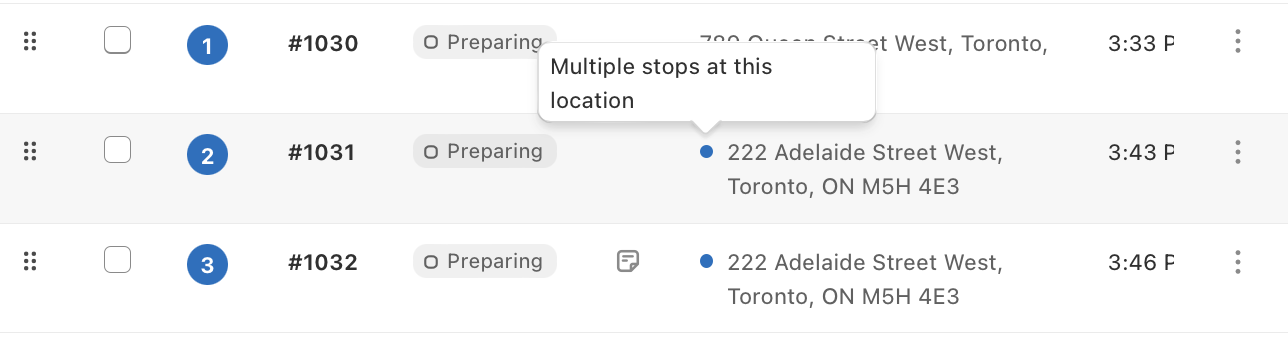
- We will show you when you have multiple stops at the same location in your route:
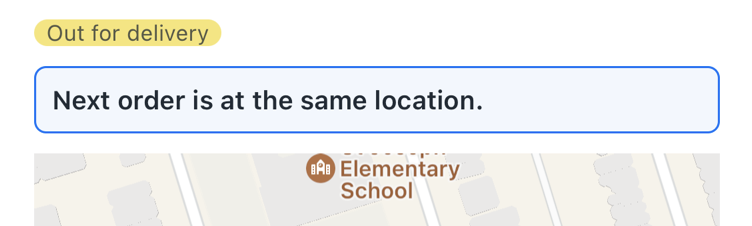
- EasyRoutes will let you know if more than one order is at the same location. This is visible above your map when viewing a stop. (e.g. if you have 4, it will show that you have 3 more stops at the same location
- If it's helpful to your driver, you can also add a note to let them know that these orders are together if they are packed differently. Here's more: How do I add a note for my drivers?